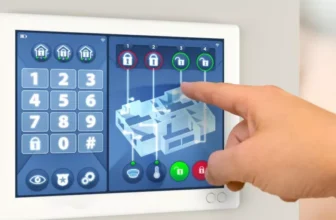
To safeguard your office electronics from cyber threats, you must be proactive in fortifying your digital defenses. From strengthening firewall configurations to educating your staff on the latest cybersecurity protocols, each step plays a crucial role in protecting your sensitive information. But what if a breach occurs despite your best efforts? Stay tuned to discover the key strategies to not only prevent cyber threats but also effectively respond to potential security incidents, ensuring your office remains secure in the face of evolving digital risks.
Assessing Current Security Measures
Are your current security measures effectively safeguarding your office electronics from cyber threats? It’s crucial to regularly assess the effectiveness of your existing security protocols to ensure the protection of sensitive data and information.
Start by reviewing your firewall settings and antivirus software. Are they up to date and adequately configured to detect and prevent cyber attacks? Check if all devices are encrypted to safeguard data in case of theft or unauthorized access. Additionally, evaluate the strength of your network security – is your Wi-Fi password secure, and are access controls in place to limit who can connect to the network?
Conducting a thorough audit of your current security measures is essential in identifying any vulnerabilities that hackers could exploit. Consider implementing regular security training for employees to raise awareness about potential threats like phishing scams or malware. Furthermore, assess physical security measures such as surveillance cameras or access control systems to prevent unauthorized individuals from tampering with office electronics.
Implementing Strong Password Policies
When strengthening your office electronics’ security defenses, one effective measure to consider is implementing robust password policies. Strong passwords are crucial in safeguarding your devices and sensitive information from cyber threats.
Start by setting password requirements such as minimum length, special characters, and a mix of uppercase and lowercase letters to enhance complexity. Encourage employees to use unique passwords for each account and avoid using easily guessable information like birthdays or common words.
Additionally, consider implementing multi-factor authentication for an added layer of security. Regularly remind staff to update their passwords and avoid sharing them with others. It’s also essential to educate employees on the importance of password security and the potential risks of weak passwords.
Conducting Regular Software Updates
Regularly updating your office electronics’ software is essential for maintaining security and optimal performance. Software updates often contain patches for known vulnerabilities that cybercriminals can exploit. By keeping your systems up to date, you ensure that these security loopholes are closed, reducing the risk of a cyber attack.
Moreover, software updates can also enhance the overall performance of your devices. Developers frequently release updates to improve functionality, fix bugs, and introduce new features that can boost productivity in the workplace. Ignoring these updates may result in slower performance, compatibility issues, and decreased efficiency.
To stay protected, enable automatic updates on your devices whenever possible. This way, you ensure that your systems receive the latest security patches and improvements without requiring manual intervention. Additionally, regularly check for updates on devices that don’t support automatic updates to guarantee that all your office electronics are running on the most secure and efficient software versions.
Educating Employees on Cybersecurity
To ensure comprehensive protection for your office electronics, educating employees on cybersecurity practices is key in fortifying your organization’s digital defenses. Cyber threats often exploit human error, making employee awareness crucial in safeguarding sensitive information. Start by conducting regular cybersecurity training sessions to keep your staff informed about the latest threats and best practices. Teach them how to recognize phishing emails, avoid clicking on suspicious links, and create strong passwords. Encourage a culture of accountability where employees understand their role in maintaining cybersecurity within the workplace.
Furthermore, establish clear protocols for reporting any potential security incidents or breaches promptly. Emphasize the importance of keeping software up to date and implementing security measures such as two-factor authentication. Regularly remind employees to log out of devices when not in use and secure physical access to sensitive equipment. By fostering a culture of vigilance and knowledge, you empower your employees to be active participants in defending against cyber threats and ultimately protect your office electronics from potential vulnerabilities.
Trending Products



![[Google TV/Voice Control]GooDee 4K UHD Smart Projector with WiFi and Bluetooth, Portable Movie Projector Applicable to Prime Video,YouTube Built-in, Dolby Sound Home Theater for Indoor/Outdoor](https://m.media-amazon.com/images/I/518NkemVKnL._SS500_.jpg)